Students
Turn a term paper or a pile of lecture notes into a presentation the night before it's due.
Free plan, no card needed
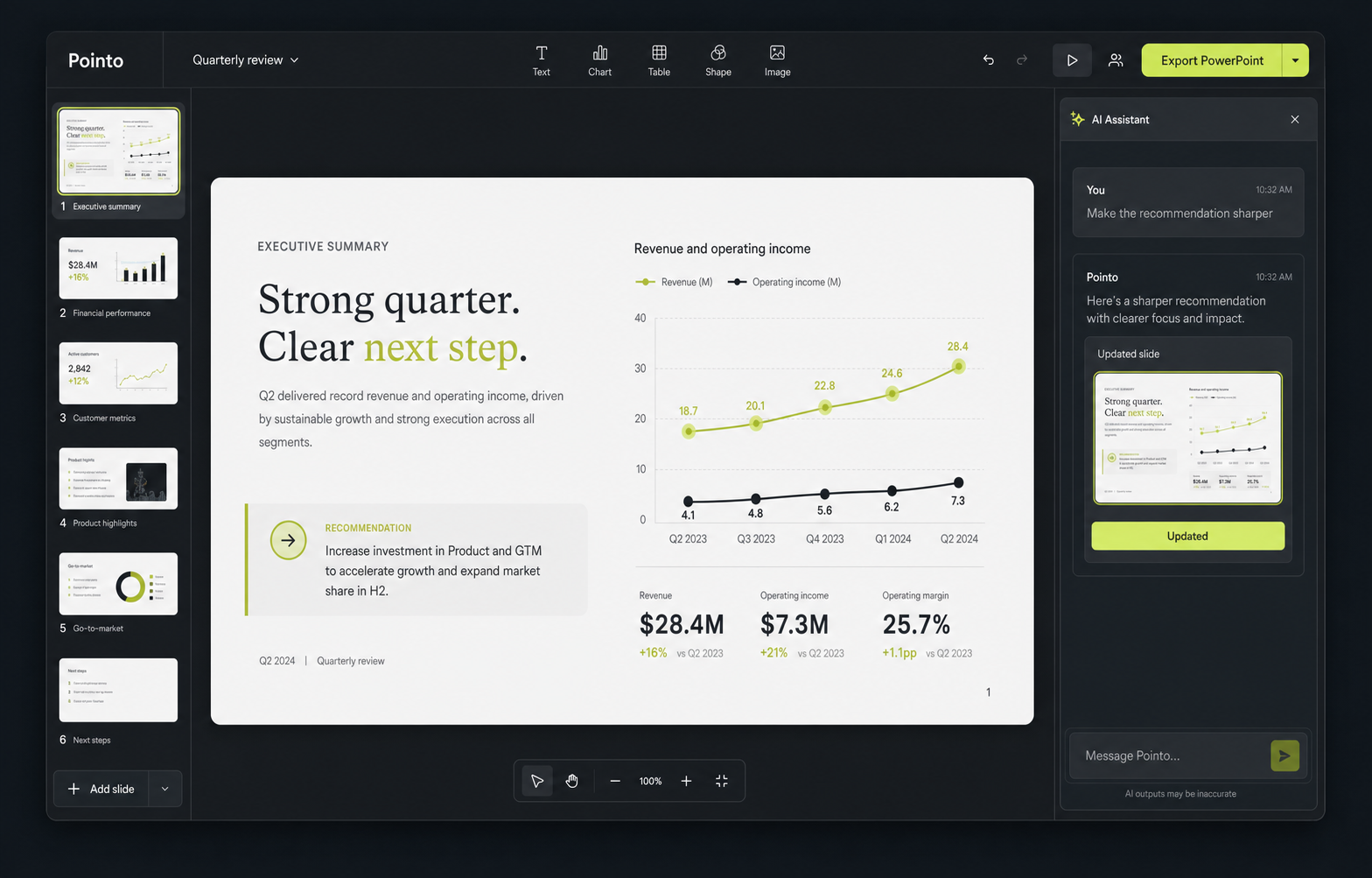
Drop in your notes, your paper, your spreadsheet. Pointo finds the story, designs every slide, and hands you an editable PowerPoint.
Built for people who present, not designers
How it works
A PDF, a Word doc, a spreadsheet, a messy note. One file or ten.
Pick the audience and the point you want to land. Pointo drafts the story.
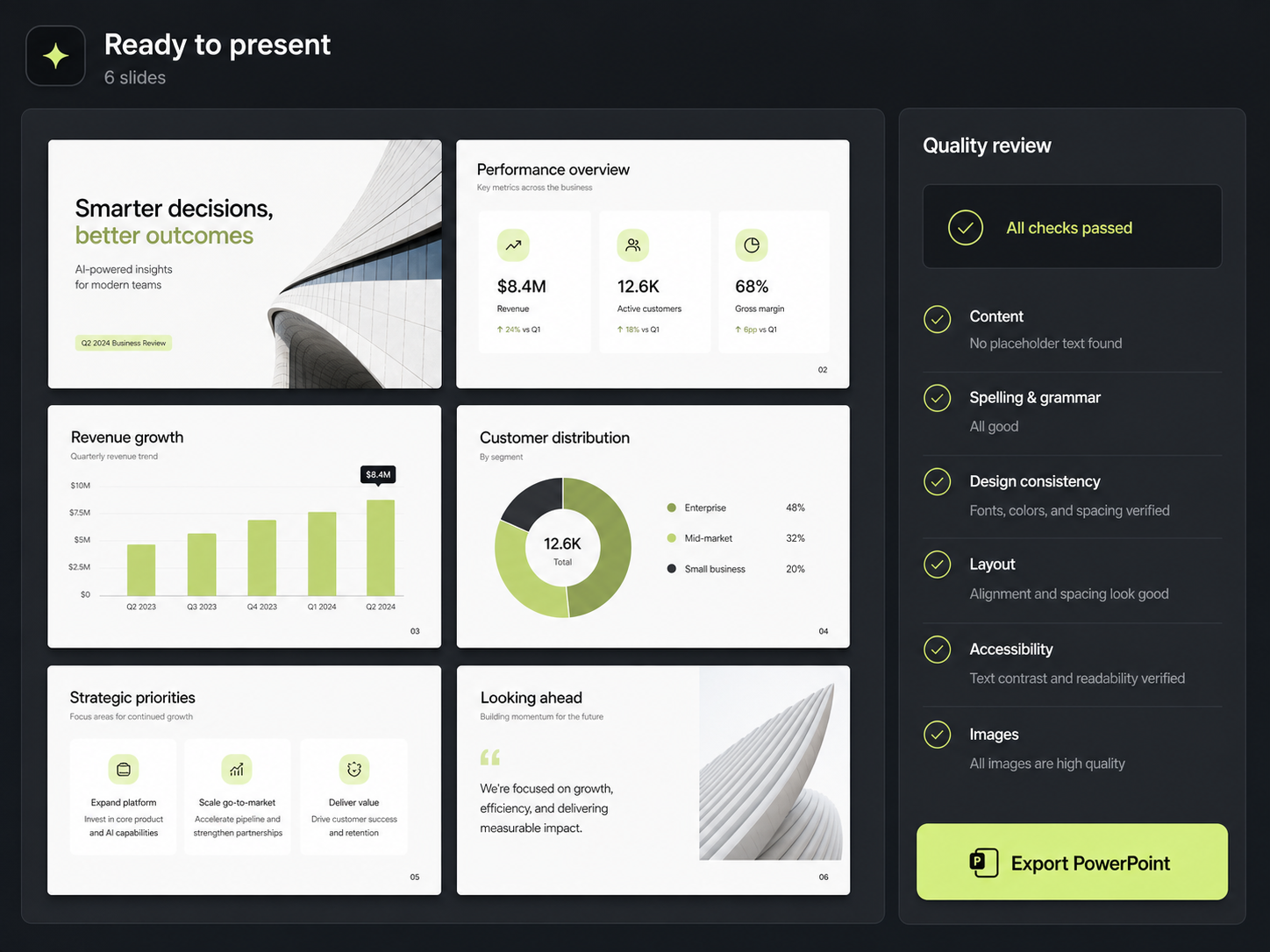
Review every slide, then export an editable PowerPoint that stays yours.
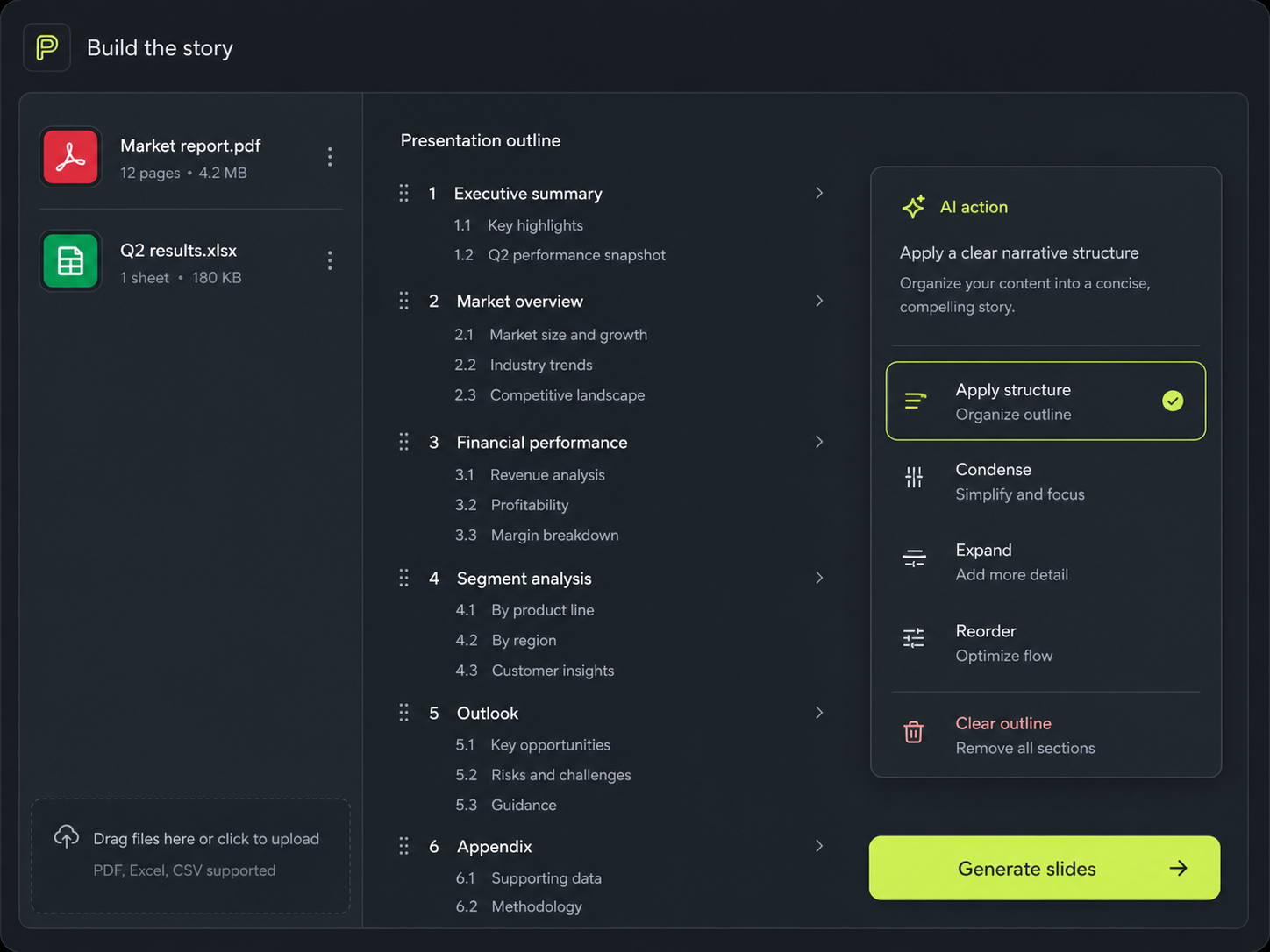
Add the files you already have. Pointo pulls out what matters and builds an outline around the point you’re trying to make.
Shorten a section, sharpen the recommendation, change the tone. Type what you want and watch the deck update.
Make the recommendation more direct.
Updated the recommendation and tightened the supporting slide.
Check the whole presentation, then download a real PowerPoint file that stays yours to change.
Who it’s for
Turn a term paper or a pile of lecture notes into a presentation the night before it's due.
Build the 90-day plan deck the final round asked for, without opening PowerPoint.
Shape scattered numbers and notes into an investor story that actually lands.
Rebuild last year's lesson into clean, readable slides in a single evening.
Send a proposal that looks like it came from a studio, not a template pack.
Club talks, family reunions, workshops, book clubs. If it needs slides, it works.
Pricing
Every plan builds the whole presentation and shows you every slide. You pay when you want to take the editable PowerPoint with you.
Billed once a year. Cancel any time.
See the whole finished deck before you decide anything.
0forever
No card, no trial timer.
Start freeFor the deck you actually have to present on Monday.
9/ month
$108 billed yearly — save $36
Get ProMake every deck come out looking like your deck.
18/ month
$216 billed yearly — save $72
Get MaxPrices in USD. Change or cancel your plan from settings at any time — see our refund policy.
I had six weeks of research and four hours before the review. The first draft was better than what I'd have written by hand.
I stopped dreading slide decks. I write the thinking, Pointo handles the part I'm bad at.
The export is a real PowerPoint file. That was the thing that made me pay.
FAQ
Everything worth knowing before your first presentation.
Yes. You get 15 signup credits with no card and no trial countdown. You see every finished slide first, and only pay when you want the editable PowerPoint.
There is one credit balance: a full deck costs one credit per two slides (rounded up), a slide rewrite costs one, and an AI image costs three. Reviewing, exporting and downloading are free.
On Max, yes. Upload a deck you already have and Pointo matches its layout, typography and colours, so what comes out looks like it came from your team.
No. If you just need one deck, buy a single editable export for $5. Nothing renews and there is nothing to cancel.
PDFs, Word files, spreadsheets, PowerPoints, text files and plain notes. Use one or combine several.
Two ways. Ask Pointo to change a slide in plain language, or download the PowerPoint and edit the text, shapes, tables and charts yourself.
Most presentations are ready to review in a couple of minutes. Longer source material takes a little more.
Yes. Cancel from settings in one click and you keep access until the end of the period you paid for.
Yes. Your projects stay private unless you choose to share a presentation with a link.
Start with the files you have. Build it, see every slide, and only pay if you want to take it with you.